
The B2B ordering app your reps can use with no signal
Compass is an order-taking app for wholesale sales reps, on iOS and Android. Your catalogue, customer prices and accounts live on the tablet or phone, so it works on a trade show floor with no Wi-Fi, in a showroom or in a customer's stockroom. Every order goes straight into your ERP, next to your web orders. No paper forms, no spreadsheets, and nobody rekeying orders on Monday morning.
Trade show orders are where wholesalers lose money
A good show can bring in a month of orders in three days. Then they come back as paper forms, photos of notebooks and spreadsheets on a rep's laptop, and someone in the office spends the next week typing them in. Prices get keyed wrong, items that are out of stock get promised, and the odd order never arrives at all. We wrote about how offline and trade-show orders go missing. Compass is built to stop it.
No rekeying
Orders land in your ERP exactly as the rep took them, with the date they were taken. The office checks orders instead of typing them.
No wrong prices
Each customer sees the prices your systems already hold for them, so the price agreed on the stand is the price on the invoice.
No lost orders
Orders queue on the device until they are confirmed in your ERP. Nothing is discarded and nothing is sent twice.
From stand to ERP in four steps
1. Before the show
Your office sets up devices from the admin dashboard. A rep scans a QR code, opens a link or types a short code, and the device downloads your catalogue, images, customers and prices, with your branding.
2. On the stand
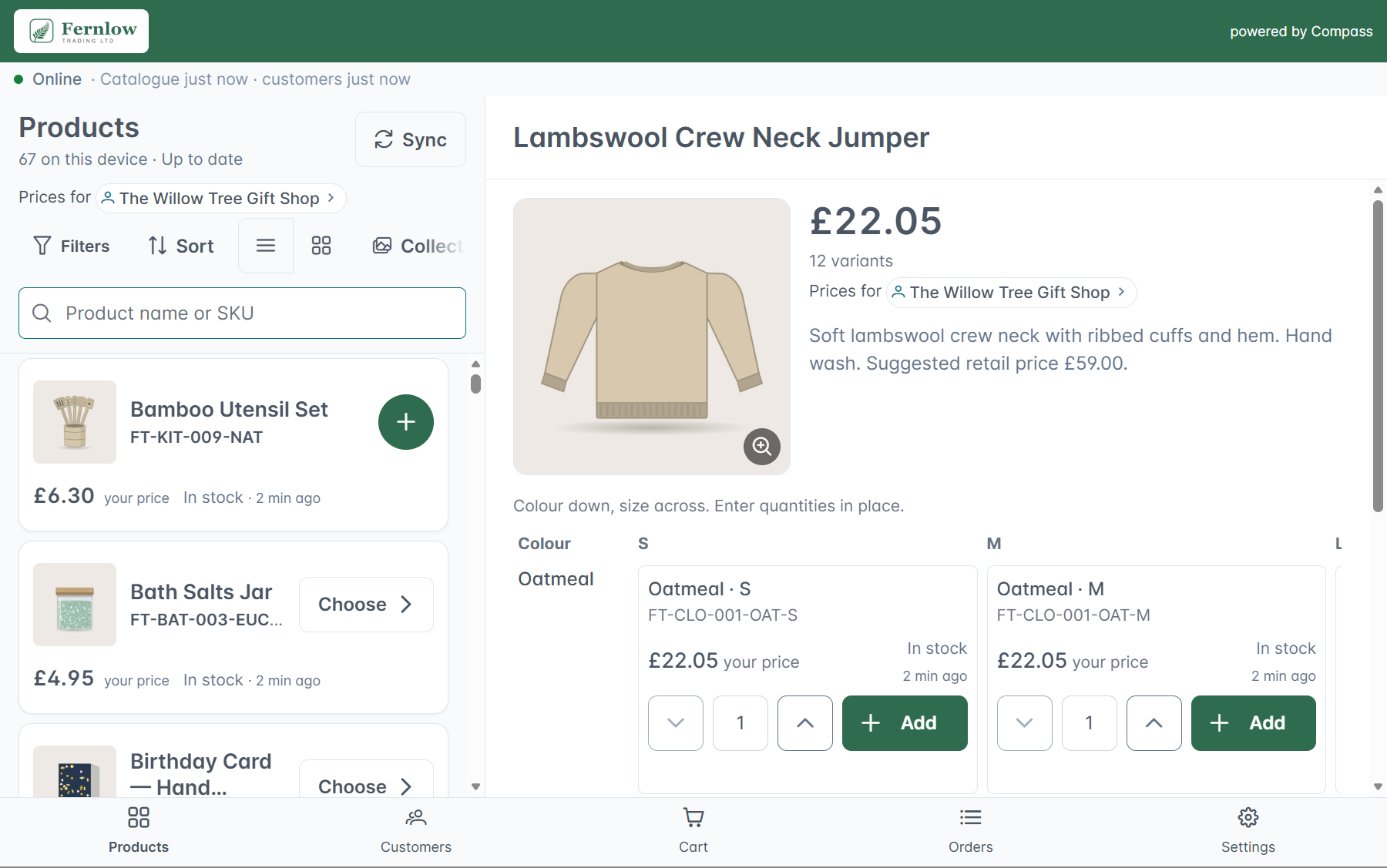
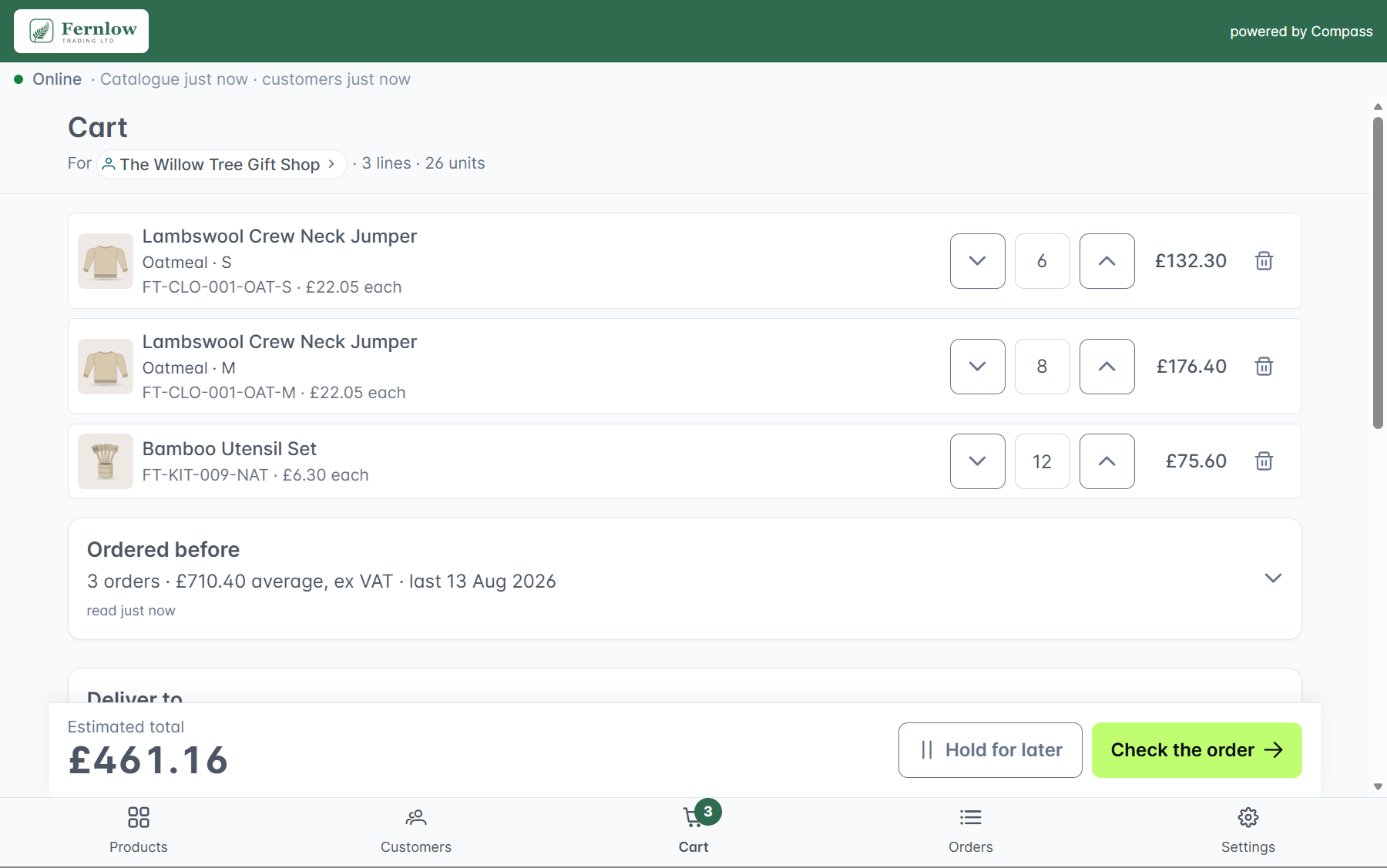
Reps search, scan barcodes and build orders at each buyer's own prices, with or without a signal. New buyers can be signed up on the spot.
3. Back online
Orders send themselves as soon as the device finds a connection. There is no button to remember and no end-of-day upload.
4. In your ERP
Each order arrives in your ERP and its status shows back on the device. An order counts as done when your ERP has it.
Everything a sales rep needs in front of a buyer
Built around how wholesale orders are really taken: quickly, at the customer's own prices, often from a printed list or a product on the stand.
Works fully offline
Catalogue, images, customers and prices are stored on the device. Search, order and sign in aeroplane mode, and sync when the signal returns.
Customer-specific pricing
Choose the customer and every price on screen becomes their price. Stock and back orders show alongside, so reps don't promise what the warehouse can't send.
Barcode scanning and quick order
Scan a product barcode with the camera, or type SKUs straight in when a buyer reads from a list. Filter by collection, and see what is new and what sells best.
Customer account at a glance
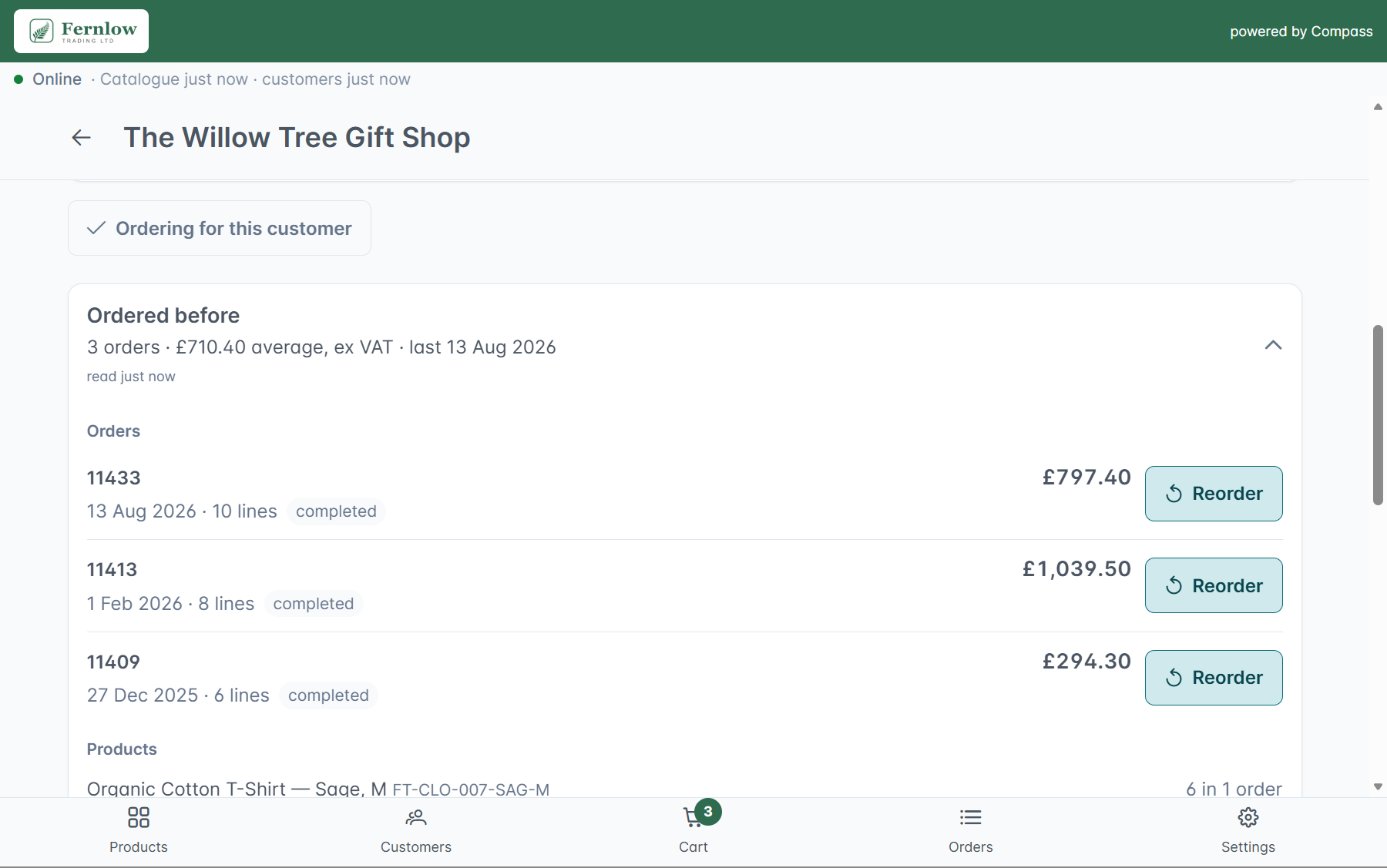
See order history, account balance and credit terms before taking another order, and reorder from a previous one in a couple of taps.
New customers on the stand
Sign up a new buyer there and then, and their account is created in your ERP. Likely duplicates of existing accounts are held back for checking.
Quotes, held orders and signatures
Take a quote instead of an order, park an order that isn't finished, and capture the buyer's signature to confirm it. Hand over a PDF summary and send a confirmation email.
One stand tablet, several reps, full control
At a show, one tablet often serves several reps. Compass is built for that, and keeps every device in the field under your office's control.
Reporting by show and rep
Each rep signs in as themselves, and every order is recorded against the device, the show and the rep. You see what each show brought in without a spreadsheet.
Your brand on every device
Compass carries your branding and your catalogue, so buyers see your business, not ours.
Encrypted and blockable
Data on the device is encrypted. If a tablet goes missing, block it remotely and it can no longer sign in or sync.
Connected to your systems, not bolted on
Most order-taking apps keep their own copy of your products and prices, and export orders for someone to import. Compass reads the same catalogue, prices, stock and customer accounts as your webshop, and sends orders through our integration layer into your ERP. Show orders, rep orders and web orders end up in one order book.
Coretonomy Commerce
Compass works natively with our B2B ordering platform, so the prices a rep quotes on the stand match the prices a buyer sees online.
Brightpearl
Orders arrive in Brightpearl with the date they were taken, and new buyers become Brightpearl contacts. See our Brightpearl integration.
More on the way
Shopify, other commerce platforms and marketplaces, and more ERPs, starting with SAP Business One. See what is coming next below.
Where Compass is going
Compass is in early access. These are on our roadmap and not available yet. Register for early access and we will tell you as each one arrives.
A free tier
A set number of people will be able to use Compass for free, with paid seats for larger teams.
Compass on its own
Use Compass without Coretonomy Commerce, connected to Shopify and to other commerce platforms and marketplaces.
More ERPs
Orders and new customers into more ERPs, starting with SAP Business One.
App Store and Google Play
Download Compass straight from the App Store and Google Play, instead of setting it up with us.
Sales intelligence
A clearer picture of each customer's buying, in front of the rep before the conversation starts.
B2B ordering app questions
What is a B2B ordering app for sales reps?
It is an app your sales reps use to take trade orders on a tablet or phone, at trade shows, in showrooms and on customer visits. A good one shows each customer their own prices, stock and account, and sends the order straight into your ERP, so nobody rekeys paper forms or spreadsheets after the show.
Does Compass work with no signal at all?
Yes. The catalogue, images, customer accounts and prices are stored on the device, so a rep can search, build an order and capture a signature in aeroplane mode. Orders wait in a queue on the device and are never discarded. When a connection returns they send themselves, and the app shows which orders have reached your ERP and which have not.
Is Compass available on iOS and Android?
Yes. Compass runs on iOS and Android, on tablets and phones, and is designed first for the iPad. It is in early access, so for now we set it up on your devices with you. It will also be listed in the App Store and on Google Play.
Which systems does Compass work with?
Today Compass works natively with Coretonomy Commerce, our B2B ordering platform, and orders reach Brightpearl through our integration layer, the same way as web orders. Connections to Shopify, other commerce platforms and marketplaces, and more ERPs, starting with SAP Business One, are on our roadmap.
Do we need the rest of the Coretonomy platform?
Today, yes. Compass reads its catalogue, prices and customer accounts from Coretonomy Commerce and sends orders back through it to your ERP. We are building connections so Compass can also work with Shopify and other platforms and marketplaces on its own.
Is there a free version of Compass?
A free tier is on the way: a set number of people will be able to use Compass for free, with paid seats for larger teams. Register for early access and we will tell you when it opens.
How is Compass different from a generic order-taking app?
Most order-taking apps keep their own copy of your products and prices and export orders for someone to import. Compass reads prices, stock, credit terms and customer accounts from your live systems and writes orders back into them. It is also built for trade shows: it works offline and handles one tablet shared between several reps.
Can several reps share one tablet on a stand?
Yes. Shared devices are a normal way to work at shows. Each rep signs in as themselves on the shared tablet, and every order is recorded against the device, the show and the rep.
What happens if a tablet is lost?
The data on the device is encrypted, and your office can block the device remotely so it can no longer sign in or sync.
Get early access to Compass
Tell us how many reps you have, which shows you go to and which systems you run. We'll show you Compass on a tablet, take an order with the Wi-Fi off, and set you up as early-access users.