
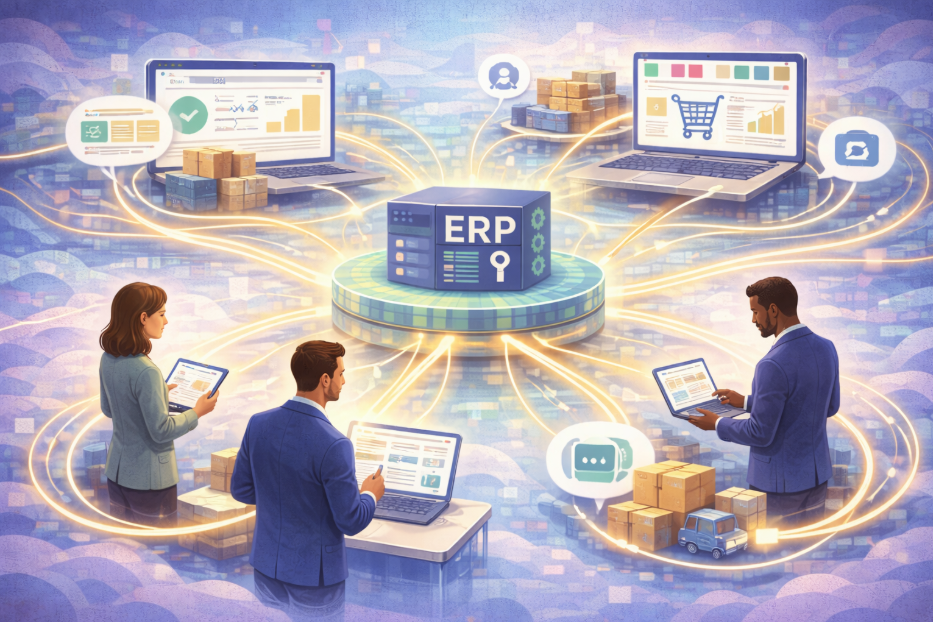
B2B ecommerce integration is what makes a trade website behave as if it were your sales office: it knows who the customer is, what they are allowed to buy, what they pay, what you can actually ship them, and what they owe. None of that lives in the website. It lives in your ERP, and integration is the plumbing that carries it across and carries orders back.
If you want the general picture first (what ERP integration is, the four ways it gets built and what each costs to run), start with our guide to ERP integration. This piece is narrower. It assumes you sell to trade customers on account, and works through what has to integrate for a B2B store specifically, which direction each flow runs and how often, how each one typically breaks, and how to scope and buy it.
Why B2B Integration Is a Different Job From Retail
A retail storefront can get away with a thin connection: one price per product, a single stock figure, card payment at checkout, and an order pushed to the back office. A trade store cannot, because almost every screen a trade buyer sees depends on who they are.
- The price depends on the account. Two buyers looking at the same product at the same moment should see different prices, and both have to match the invoice.
- The catalogue depends on the account. Some customers may not see some ranges at all.
- Payment is usually on terms. The website has to know whether an account is on hold or over its limit before it accepts an order, not after.
- The relationship continues after checkout. Buyers expect to see order status, invoices and what they owe without phoning your accounts team.
That is why "we'll connect the website to the ERP" is not a scope for a B2B project. The useful question is: for each type of data, which system owns it, which way does it travel, and how stale can it be before someone is misled?
What Has to Integrate for a B2B Store
Customer accounts and credit
Trade accounts, their contacts and delivery addresses, payment terms, credit limit and account status. The ERP normally owns all of it. The website needs enough to decide who may log in, which addresses they may ship to, and whether an order can be accepted. Our Brightpearl and Caliq connectors bring customer accounts across with their credit limits, and the Brightpearl connector also brings across account balances, which is what lets a buyer see what they owe.
Customer-specific pricing
Price lists per customer or customer group, contract prices, quantity breaks, and prices with start and end dates. This is where most B2B integrations earn or lose their reputation, because a price that differs between the screen and the invoice is found by the customer, not by you. Direction is not always ERP-to-website. Our Brightpearl and Caliq connectors import price lists from the ERP, while for SAP Business One we have built the reverse as well: prices calculated on the platform are written into SAP price lists, mapped by customer group. Which way it runs should be decided by where your pricing rules actually live, not by habit.
Stock by warehouse
A single "in stock" figure is rarely right for a wholesaler with more than one location. The website needs the availability that applies to this customer, which may mean one warehouse, several, or stock net of allocations and incoming purchase orders. Our SAP Business One connector reads stock per warehouse, and the Brightpearl connector uses Brightpearl's warehouse availability service. Why "how many do you have?" has several honest answers is covered in multichannel inventory management for wholesalers.
Orders back to the ERP
An order placed online should land in the ERP as if a person had keyed it: against the right account, with the right price, delivery address, customer reference and tax treatment. Then the status (picked, despatched, back-ordered) should flow back so the buyer can see it. In our hub, orders are sent to Brightpearl, Caliq and SAP Business One as soon as they are placed, triggered by the order event rather than a timer, and changes made to those orders in the ERP are brought back, with a scheduled sweep to catch anything a notification missed.
Invoices and statements
Invoices, credit notes and statements are created in the ERP and should be visible online, so "can you resend that invoice?" stops being an email to your accounts team. Our Brightpearl, Caliq and SAP Business One connectors all import invoices into the platform.
Product data
SKUs, variants, units of sale, pack sizes, descriptions and images. Commercial fields such as SKU, unit and pack size usually belong to the ERP. Marketing content often does not, and forcing the ERP to hold long descriptions and image galleries it was never designed for is a common source of friction. Decide early whether product content is mastered in the ERP, in the ecommerce platform, or in a separate product information system.
Direction and Frequency, Data Type by Data Type
This is the table we would expect any B2B integration proposal to contain in some form. The frequencies are typical starting points, not rules. The right answer for your business depends on how fast each thing changes and what it costs you when the website is out of date.
| Data | Usually owned by | Direction | Typical frequency | Cost of it being stale |
|---|---|---|---|---|
| Customer accounts, addresses | ERP | ERP → web (new web sign-ups may go web → ERP) | Scheduled, a few times a day | A new account cannot log in yet |
| Credit limit, balance, account status | ERP | ERP → web | Scheduled, frequent | An order accepted from an account on hold |
| Customer-specific prices | ERP (sometimes the platform) | Whichever way the rules live | Scheduled, plus on demand after a price change | Screen price differs from invoice |
| Stock by warehouse | ERP or WMS | ERP → web | As close to real time as the ERP allows | Promising stock you cannot ship |
| Orders | Web creates, ERP owns after | Web → ERP | Immediately, on each order | Late picking, missed despatch |
| Order status and despatch | ERP | ERP → web | Scheduled, frequent | "Where is my order?" calls |
| Invoices, credit notes | ERP | ERP → web | Scheduled, daily or more | Accounts team resending PDFs |
| Product data and images | ERP and/or product system | Into web | Scheduled, daily | Usually low; a description is out of date |
Two things are worth noticing. First, only orders and stock really justify event-driven speed; everything else is better on a predictable schedule, because a scheduled sync is easier to check. Second, the schedule should be set per data type, not once for the whole integration. In our hub each data flow carries its own schedule, set per store, so stock can run far more often than product content without one dragging the other along.
How B2B Integrations Commonly Fail
The failures below are specific to trade selling. Each one is more a question of design than of code, which is why it is worth raising at the scoping stage.
- The effective price is ambiguous. A customer group has two valid-looking prices for the same item, one expiring, one starting. If the integration does not choose the one in force on the day, the website and the invoice disagree.
- Duplicate customer records. An account created on the website and the same company already in the ERP end up as two customers. Orders land on the wrong one and credit control stops making sense.
- The order is rejected and nobody hears. The ERP refuses an order: account on hold, unknown SKU, discontinued item, missing tax code. If the failure only goes to a log, the customer finds out when the goods do not arrive.
- Stock is summed across the wrong warehouses. The website shows total stock, but this customer is served from one depot that has none.
- Visibility fails open. A product meant for one customer group becomes visible, with a price, to everyone. Catalogue rules should fail closed: if the integration is unsure, hide it.
- Nobody owns the exceptions. Every integration produces some records that need a human decision. If no one is named to make them, they pile up.
How to Scope a B2B Integration
- List the data types and name an owner for each. Use the table above as a starting template. Where two systems both think they own something, settle it now.
- Write down the awkward cases. Orders from accounts on hold, back orders, part-shipped orders, contract prices that expire, customers who buy from two depots. These are commercial decisions, and they take longer than the build.
- Set the tolerated staleness per data type. "How out of date can this be before someone is misled?" gives you the frequency, and stops you paying for real time where you do not need it.
- Decide what happens when a record fails. Who is told, how quickly, and who fixes it.
- Count the channels you will have in three years. A trade site now, and maybe a D2C site or a marketplace later. That number decides whether a direct connection or a hub is the better long-term shape. We compare the two in the ERP integration guide, and set out what moves the price in our ERP integration cost model.
Questions to Ask a Supplier
- Which of our data types does your connector handle today, and which would be new work?
- Can prices vary by customer and by date, and how does the integration choose the one in force?
- Can stock be shown per warehouse, or per customer's warehouse?
- What happens when our ERP rejects an order? Who is told, and how quickly?
- Can each data type run on its own schedule?
- Where do the business rules live, and who can change them without a developer?
- Who monitors the integration after go-live, and who absorbs an ERP upgrade?
- Is this connector running for other customers today, or is it being built for us?
The last question matters most. A connector that already carries other businesses' orders has been through the awkward cases once. A connector being written for you will meet them on your data.
Where We Fit, and Where We Don't
Coretonomy's integration hub has maintained connectors for Brightpearl, SAP Business One, Caliq, Shopify, Faire and Blue Alligator, plus structured file feeds. White Leaf, a UK giftware wholesaler, runs B2B trade ordering and D2C retail on our platform against a single Brightpearl backend, alongside its sister brand Last True Angel. For the ERP side of a B2B store, the detail is on our Brightpearl integration hub, SAP Business One ecommerce integration and Caliq integration pages, and the wider approach is on our ERP integration page. After go-live, we maintain the connectors.
Where we are the wrong answer: if your ERP is not one of those listed, a connector would be bespoke work that we would scope with you, not something already running. If a retailer requires you to trade by formal EDI (EDIFACT or X12 over AS2 or a VAN), we do not provide that; what we build is structured file exchange. The difference is set out in EDI or an integration hub?. And if you have one ERP, one trade site and no plans to add more, a well-built direct connection may be all you need.
If you are scoping a B2B store and want to go through the data table above against your own ERP, get in touch. We will tell you plainly which parts already exist and which would be new work.
B2B Ecommerce Integration: Common Questions
What is B2B ecommerce integration?
It is the connection between a trade ecommerce site and the systems behind it, usually the ERP, so that the site knows each customer's account, prices, catalogue and credit position, shows stock that can actually be shipped, and sends orders back without anyone rekeying them. Invoices and order status flow the other way so buyers can self-serve.
How is B2B integration different from integrating a retail store?
Almost everything a trade buyer sees depends on who they are: prices per customer or group, catalogue visibility, credit limits and payment terms. A retail integration can work with one price and one stock figure. A B2B one has to carry account-level rules in both directions and keep them matching the invoice.
Does B2B ecommerce integration need to be real-time?
Mostly no. Orders and stock usually justify event-driven or very frequent sync, because a delay leads to a wrong promise. Accounts, prices, invoices and product data are usually better on a predictable schedule, set per data type, because scheduled syncs are easier to check.
What usually goes wrong?
Price mismatches between the website and the invoice, duplicate customer records, orders the ERP rejects without anyone being told, stock summed across the wrong warehouses, and catalogue rules that fail open. Most of these are design decisions that should be settled when scoping, not bugs found after launch.
What should we ask an integration supplier?
Which of your data types their connector handles today, how it chooses the price in force for a customer on a given date, whether stock can be shown per warehouse, what happens when the ERP rejects an order, whether each data type has its own schedule, who can change the rules, who monitors it after go-live, and whether the connector already runs for other customers.