
What Is ERP Integration?
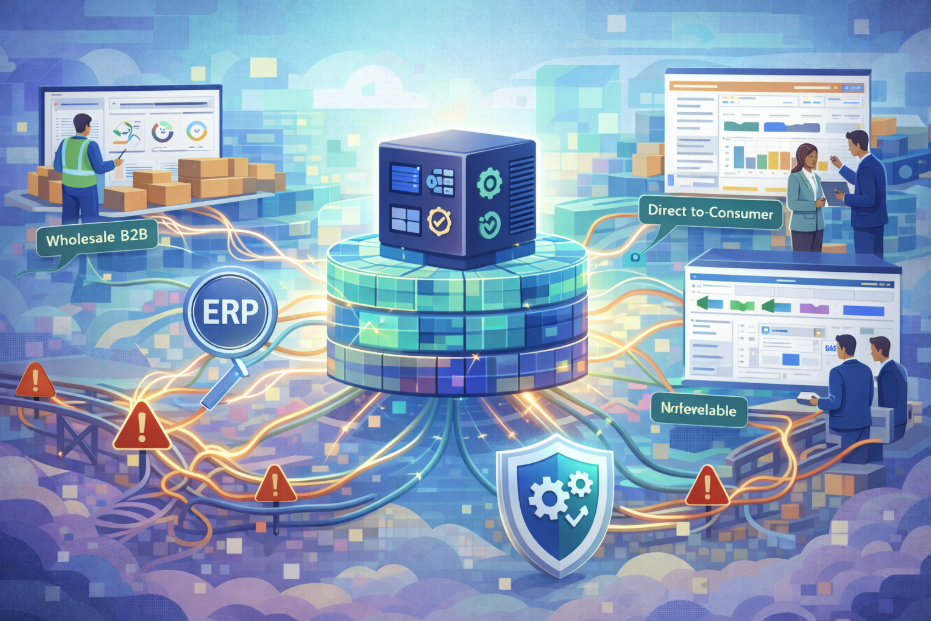
ERP integration is the work of making your ERP and your other systems agree about the same facts — what stock exists, what a given customer pays, what has been ordered, what has been invoiced — without anyone retyping those facts by hand.
That is the whole idea. The ERP remains the system of record. Integration is what keeps everything else honest about what the ERP says.
The reason it is harder than it sounds is that two systems rarely mean exactly the same thing by the same word. Your ERP has a notion of a customer, a price and an order. So does your website. They are not the same notion, and the gap between them is where the actual work lives.
What Actually Moves Between the Systems
For a wholesale business, integration usually covers six kinds of record. It is worth being specific, because "we'll integrate the ERP" is not a scope — this is:
- Products — the catalogue, its structure, and which items a given customer is even allowed to see
- Inventory — what is available to promise, which is not the same number as what is on the shelf
- Prices — including customer-specific price lists, which is where wholesale diverges sharply from retail
- Customers — accounts, contacts, credit terms, and which of them may log in
- Orders — placed on the website, landing in the ERP as though a person had keyed them
- Invoices — flowing back the other way, so the customer can see their account without phoning
Most projects begin by discussing the first three and are surprised by the last three. Orders and invoices are where the ERP's rules are strictest, because they touch money.
Start With Your System Estate, Not the Method
Before comparing approaches, count the systems that need to agree with one another. Not every system you own — only the ones that hold a version of the same fact. A typical UK wholesaler that has grown a bit has more than they expect:
- The ERP — stock, prices, customers, orders, invoices
- The trade ordering site — where customers place orders themselves
- A D2C storefront — often added later, with different rules
- A marketplace or two — each with its own catalogue and its own idea of availability
- A warehouse or 3PL system — which may disagree with the ERP about what has shipped
- Sales-rep order capture — frequently a spreadsheet, and frequently the source of the worst data
Now count again for where you expect to be in three years. That second number is the one to design against, because the cost difference between the methods below is almost entirely a function of how many systems end up involved.
The Four Ways It Gets Built — and What Each Costs to Run
Almost every integration in this market is one of four things. They are not equally good, but each is the right answer somewhere. The build price is what appears on a quote; the running cost is what decides the three-year total.
1. Rekeying
Build cost: none. Running cost: the highest of the four, and the hardest to see. A person reads one screen and types into another. It is not usually described as an integration strategy, but it is the one most wholesalers actually start with, and for a handful of orders a week it is entirely rational. It stops being rational at the point where the cost of a mistake exceeds the cost of preventing it — and that point arrives earlier than most teams notice, because the errors show up as credit notes and customer service time rather than as a line on an invoice.
2. File feeds
Build cost: low. Running cost: low, provided the shape of the business is stable. Scheduled exports and imports — CSV, or something like it, dropped somewhere on a timer. Unglamorous and genuinely useful. Feeds are robust, easy to reason about, and easy to re-run when something goes wrong. Their limitation is time: a feed that runs hourly means your website can be an hour wrong, and whether that matters depends entirely on what you sell. If a customer has told you to become "EDI capable", this is the category that often turns out to be the honest answer — we set out the difference in EDI or an integration hub.
3. Point-to-point connections
Build cost: low for the first one. Running cost: rises with every system you add. A direct link between two systems, built for that pair. Fast to deliver, and the most common thing sold as "an integration". The difficulty is what happens next: add a third system and you need three connections, a fourth and you need six. Each is separately maintained, and they tend to be built by different people at different times, so the rules end up encoded in several places that quietly disagree. We have written about why point-to-point integration accumulates risk as the number of systems grows.
4. An integration hub
Build cost: highest. Running cost: flattest — adding system number six costs much the same as system number three. One layer in the middle that every system connects to once, holding the mapping and the rules in a single place. More work up front and harder to justify when you have two systems. It earns its keep at the point where you have four or five and are still expecting to add more — which describes most wholesalers who have added a D2C site or a marketplace to an existing trade operation.
What Breaks, and It Is Different for Each Method
Every method fails, and each fails in a characteristic way. Knowing the shape of the failure in advance is most of what separates a calm integration from an anxious one.
- Rekeying fails silently. Nobody logs a mistyped quantity. It appears weeks later as a stock discrepancy or a credit note, by which time the cause is unrecoverable.
- Feeds fail loudly but late. A feed that does not run is usually obvious — but only at the next scheduled run, so the question that matters is not whether it breaks, it is how long you sit wrong before anyone knows.
- Point-to-point fails by divergence. Nothing stops working. Two links that encode the same rule slowly disagree, and the business discovers it through a customer who was quoted two different prices.
- Hubs fail at the mapping. When the middle layer is wrong it is wrong everywhere at once, which sounds worse and is usually better: one place to look, one place to fix, one change to test.
The pattern worth noticing is that the cheaper methods fail in ways that are harder to attribute. That is the actual trade, and it rarely appears on a comparison sheet.
"Real-Time" Is Sold More Often Than It Is Needed
Real-time integration means a change in one system appears in the other within seconds, usually because the first system announces the change rather than waiting to be asked.
It is genuinely valuable for some records and close to pointless for others. Stock is the clear case: the cost of being wrong is a customer being promised something you cannot ship. Orders are a similar case, in reverse. But product descriptions, images and cost prices change slowly, and syncing them continuously buys you very little while adding something else to monitor.
A well-designed integration is usually mixed — real-time where a delay produces a wrong promise to a customer, scheduled everywhere else. If a supplier proposes real-time for everything, it is worth asking what that decision is protecting you from.
What Wholesalers Need That Generic Guides Miss
Most writing about ERP integration assumes a retail shape: one price, one customer type, stock either available or not. Trade businesses break all three assumptions, and the breakages are exactly where integrations tend to fail.
- Price is per customer, not per product. The same item legitimately has many prices, and the website has to ask the ERP which one applies to whoever is logged in — before showing anything.
- Not every customer may see every product. Catalogue visibility is a commercial rule, not a display preference, and it has to survive being wrong in the safe direction.
- Ordering stock you do not have is normal. Back orders are routine in wholesale and awkward in software, because the website has to represent a promise the ERP is still tracking.
- Accounts have terms. Credit limits, payment terms and account status all sit in the ERP and all affect what the website is allowed to let someone do.
None of this is exotic. It is simply the part that a generic connector, built for a retail shape, tends not to have an answer for. The stock half of it — why a wholesaler has four honest answers to "how many do you have?" — is covered separately in multichannel inventory management for wholesalers. For a trade store specifically, our guide to B2B ecommerce integration goes through each data type: which way it moves, how often, and how it breaks.
The Costs That Are Not on the Quote
Supplier quotes describe the build. These four costs arrive afterwards and, over three years, usually exceed it:
- Change. Price lists, catalogue rules, tax changes, a new channel, an ERP upgrade — each has to be reflected wherever the rules are encoded. This is the single largest running cost and the one most often quoted at zero.
- Monitoring. Someone has to know a sync failed before a customer does. If nobody is told, you do not have an integration — you have a scheduled task.
- Reconciliation. Time spent establishing which system is right when two disagree. It is invisible until you measure it, and it does not appear anywhere in a project plan.
- Exit. What it costs to replace one endpoint. With a hub you change one connection; with point-to-point you change every link that touched the departing system.
We set out the six drivers that move an integration price, and six questions that make competing supplier quotes genuinely comparable, in our ERP integration cost model — and the related argument about what cheap integration quotes leave out.
Where It Actually Goes Wrong
The four failure modes above are technical. Two others are not, and in our experience they sink more projects than the technical connection ever does.
Nobody owns it. When something behaves unexpectedly six months after launch, the delay is almost never diagnostic — it is working out who is entitled to decide the fix. This is worth settling before the build rather than during the incident; we have written about why ownership is the governance factor behind successful ERP projects.
Nobody planned for change. An integration that matched the business exactly on launch day will not match it a year later, because prices, channels and processes move. If no one has budgeted for that drift, it surfaces as manual workarounds that quietly reintroduce the rekeying you were trying to remove.
How to Choose, and Where to Start
Four rules cover most of the decision:
- Design for the estate you will have in three years, not the one you have now. Integration decisions are hard to reverse and are almost always made at the smallest the estate will ever be.
- Ask where the business rules live. If the answer is "in each connection", you have point-to-point regardless of what the product is called.
- Ask who can change a rule — and whether that needs a developer. This single answer predicts your running cost better than any licence fee.
- Settle the awkward cases before the build. Back orders, credit limits, customer-specific prices, part-shipped orders. These are what integration projects actually argue about, and they are commercial questions, not technical ones.
Then three decisions are worth making before anyone writes any code, and none of them are technical:
- Decide which system is authoritative for each record type — so there is an answer ready when two of them disagree, rather than a meeting
- Name one accountable owner with the authority to settle disputes, not a committee
- Write down the awkward cases — back orders, credit limits, customer-specific prices, part-shipped orders — because those are what integration projects actually argue about
A Note on the Numbers We Have Not Quoted
You will find plenty of articles attaching confident percentages to ERP integration — failure rates, average overruns, the cost of bad data. We have deliberately not repeated any of them here.
When we have traced those figures, they have mostly led to vendor marketing, to a survey whose population does not resemble a UK wholesaler, or to a chain of blogs quoting each other with no primary source at the end of it. A number that appears in many places is not corroborated if all those places are quoting the same one.
So the guidance above is drawn from what we see running production integrations for wholesale businesses, and it is described as such. If you want a number for your own business, the honest way to get one is to measure it: count the hours your team spends rekeying and reconciling in a fortnight, and price them. That figure is worth more than any benchmark, because it is actually about you.
ERP Integration: Common Questions
What is ERP integration, in one sentence?
ERP integration is the work of making your ERP and your other systems agree about the same facts — what stock exists, what a given customer pays, what has been ordered and what has been invoiced — without anyone retyping those facts by hand. The ERP stays the system of record; integration is what keeps everything else honest about what the ERP says.
Is ERP integration the same as an API?
No, and conflating the two causes a lot of disappointment. An API is a door into a system. Integration is everything you build behind that door: deciding which system wins when two disagree, mapping one system's idea of a product onto another's, handling the record that fails at three in the morning, and knowing it failed. Most ERPs have had an API for years. That is why the API is rarely the hard part.
Which ERP integration method should we choose?
Count the systems that need to agree with each other, then choose for the number you expect to have in three years rather than the number you have today. Two systems and a stable roadmap: a file feed or a point-to-point connection is proportionate. Four or more, or a plan to add a channel: a hub is usually cheaper by the second or third addition, because the cost of connecting one more system stops rising with every system you already have.
What does ERP integration cost to run, not just to build?
The running cost is mostly the cost of change, and it is the number quotes leave out. Every price list, catalogue rule, tax change, new channel and ERP upgrade has to be reflected wherever the rules are encoded. With point-to-point connections that means editing each affected link separately; with a hub it means editing one place. The build is a one-off. Change is permanent, so it is the number that decides the three-year total.
Is a middleware platform the same as an integration hub?
They overlap, and the label matters less than two questions. Where do the business rules live — in the middle, or scattered across the endpoints? And who can change them without a developer? A tool marketed as middleware that still requires a bespoke script per connection gives you the licence cost of a hub with the change cost of point-to-point. Judge the architecture, not the category.
How long does ERP integration take?
The build is usually measured in weeks; the agreement about how the business should work is what takes months. In practice, the projects that run long are almost never held up by the technical connection — they are held up by questions nobody had settled beforehand, like what happens to an order for stock that is not there yet, or which system owns a customer's credit limit.
Do we need real-time integration?
For some things, and probably fewer than you would expect. Stock and orders usually justify it. Product descriptions, images and cost prices rarely do, and syncing everything continuously costs more and gives you more to monitor. A sensible design is real-time for the records where a delay causes a wrong promise to a customer, and scheduled for everything else.
What usually goes wrong with ERP integration?
Ownership, more often than technology. When something behaves unexpectedly six months in, the delay is rarely diagnostic — it is working out who is entitled to decide the fix. The second most common failure is that nobody planned for change: the integration matched the business precisely on the day it launched, and nothing was set up to keep it matching as prices, channels and processes moved.
What should a wholesaler get right before starting?
Three things, none of them technical. Decide which system is authoritative for each type of record, so there is an answer when two disagree. Name one person accountable for integration outcomes with the authority to settle disputes. And write down what happens in the awkward cases — back orders, credit limits, customer-specific prices, part-shipped orders — because those are what integration projects actually argue about.